This site uses cookies for analytics and to improve your experience. By clicking Accept, you consent to our use of cookies. Learn more in our privacy policy.

Point of sale systems are more than just a way to ring up orders. They’re a central hub for sales data, payments, and operational insight. When operators understand what POS is and how it connects to the rest of the business, they’re better equipped to control costs, improve efficiency, and scale with confidence.
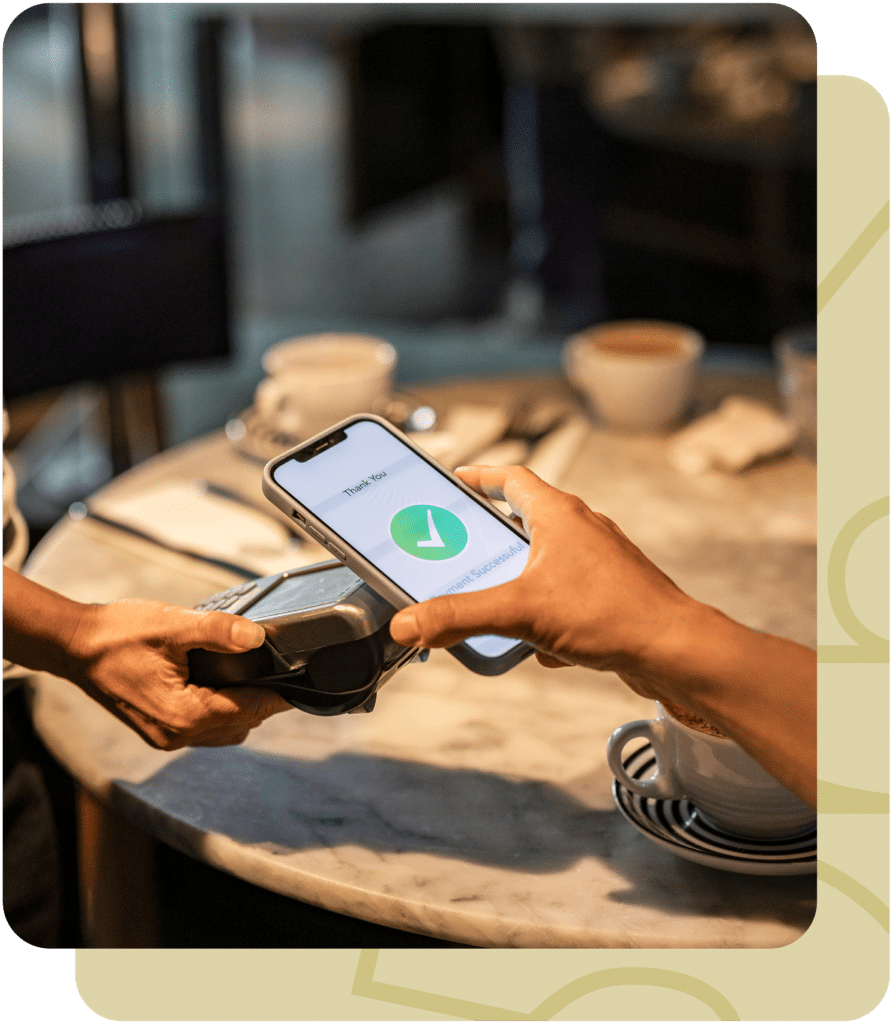
A POS system records every transaction that happens in your restaurant — from orders and payments to discounts and refunds.
Modern POS platforms capture detailed sales data that impacts inventory, labor, and financial reporting.
When POS data is connected to accounting and operations, restaurants gain real-time visibility into performance.
Restaurant365 connects POS data directly with accounting, inventory, and workforce management so operators can turn transactions into actionable insight.
At its core, POS stands for point of sale — the place where a customer completes a transaction. Traditionally, that meant a cash register. Today, POS systems are digital platforms that handle ordering, payments, reporting, and integrations with the rest of your tech stack.
Understanding what POS is matters because it touches nearly every part of the restaurant:
When POS data lives in isolation, it limits how useful that information can be. But when it’s connected to accounting, inventory, and labor systems, POS becomes a powerful engine for smarter decisions.
Run smarter from the front of house to the back office.
See how R365 makes it happen.
A POS system doesn’t operate on its own. To get full value, restaurants should look for technology that works seamlessly with the rest of their operation. Key capabilities include:
Restaurant365 integrates directly with leading POS platforms, turning raw transaction data into clean, usable financial and operational insight, without spreadsheets or rekeying.
A POS system captures sales, but the real value comes from what happens next. When POS data flows into a unified platform like Restaurant365, operators can:
Instead of waiting for end-of-month reports, operators can use POS-driven insights daily, adjusting staffing, purchasing, and pricing decisions in real time.
Five Guys NY, one of the largest Five Guys franchise groups in the U.S., needed a better way to manage financial data across multiple locations. With dozens of restaurants and expanding operations, their team struggled to consolidate reporting, track profitability, and make data-driven decisions quickly.
Partnering with Paperchase and Restaurant365, the group gained a connected financial foundation that combined accounting, operations, and insights in one place.
Results:
Automated reporting and reconciliations across all locations
Greater visibility into sales, labor, and prime cost performance
Streamlined data flow between Paperchase’s outsourced accounting and R365’s financial suite
Scalable, real-time profit tracking across every restaurant
Five Guys NY proved what’s possible when operators use a restaurant profit calculator integrated with accounting and operations. The combination of Paperchase’s financial expertise and R365’s connected platform provided full transparency into profitability, empowering leadership to make confident, data-backed decisions.
Want to measure profitability across every location? Get a free demo of R365.
✅ POS integrations that sync directly with accounting and operations
✅ Real-time financial visibility from sales data
✅ Multi-location reporting and consistency
✅ Best for restaurants that want POS data to drive decisions
✅ Order and payment processing
❌ Limited financial or operational context
❌ Requires separate tools for accounting and inventory
✅ Low upfront cost
❌ Time-consuming and error-prone
❌ Delayed insights and inconsistent reporting
Beyond features, the true measure of a great system is the impact it has on your business. By putting these tools into practice, companies using Restaurant365 have achieved measurable results.
“Restaurant365 has made it easy for us to pull the data we need to make real-time decisions that can impact the profitability and success of our locations. This allows us to see what needs to be addressed now instead of 60-90 days from now when it’s too late.”
“I like how easily it integrates with our POS (Toast) and provides both real and theoretical inventory counts, accurate food costs, and reporting tools that make periodic menu reviews a cinch. It also integrates with our food service provider (US Foods) so that it keeps food costs up to date.”
“One of the best things about Restaurant365 is how it integrates accounting, inventory, and operations into one unified platform specifically designed for restaurants. This saves restaurant operators a lot of time and reduces errors caused by using multiple disconnected systems.”
Blog Menu
Understanding what POS is and how it connects to the rest of your operation is essential for running a modern restaurant. When POS data lives in silos, its value is limited. When it’s connected, it becomes a foundation for smarter decisions.
Restaurant365 brings POS, accounting, inventory, and labor together in one system, giving operators clarity, control, and confidence as they grow. Get a free demo today.
Share this blog:
See why more than 50,000 restaurants use Restaurant365
Restaurant365 brings together accounting, operations, scheduling, and more in a flexible platform—empowering restaurants to choose the solutions they need and scale with confidence.