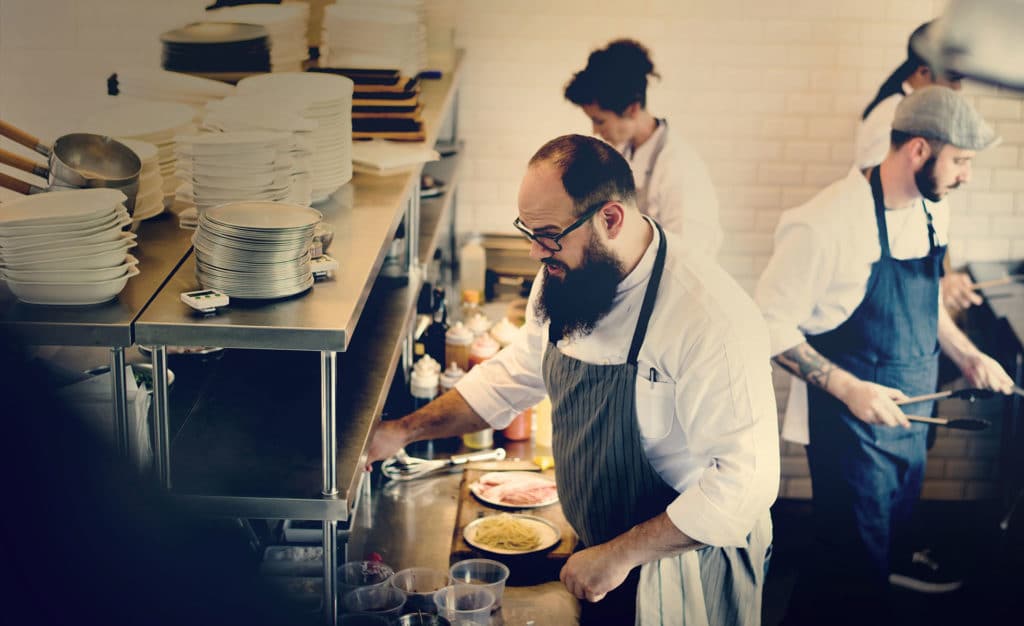
Labor costs are one of the biggest challenges facing restaurant operators today—and the margin for error is razor thin. Real-time labor reporting gives managers the visibility to make smarter staffing decisions mid-shift, reduce overtime, and stay ahead of compliance risks. From connecting your POS and payroll systems to building actionable dashboards, this guide walks through every step to help you take control of your largest controllable expense.
Labor and food costs represent the two largest controllable expenses in any restaurant operation. According to the National Restaurant Association, labor costs continue to climb as minimum wages increase across states and municipalities. When margins are already tight, even small inefficiencies—bringing staff in too early, keeping them too late during slow periods, or missing overtime thresholds—compound quickly.
“The operators that I’ve seen doing well are just really on top of it using technology, tightening up that wage and hour,” notes Anthony Zaller, a restaurant industry expert. The challenge is that many operators have access to more data than ever before, but struggle to act on it in real time.
Real-time labor reporting solves this problem by giving managers visibility into staffing costs as they happen, not days or weeks later. This visibility enables mid-shift corrections, forecast-aligned scheduling, and proactive compliance management. Watch our webinar, Real-Time Reporting for Smarter Operations, to see how operators use live data to eliminate blind spots. For a deeper look at the metrics that matter most, explore our guide to restaurant labor cost control.
Implementing real-time labor reporting delivers measurable advantages across operations:
Bricco Dining Group achieved a 5% reduction in labor costs after implementing integrated labor reporting with Restaurant365. They also saved 30–40 hours per month on bank reconciliations and reduced their monthly close from 30+ hours to just 15 minutes. Learn more about how restaurant labor management software delivers these results, or explore R365’s workforce management platform to see the full suite of tools available.
Real-time labor reporting begins with accurate and connected data. Start by auditing every system that contributes to your labor calculations:
Determine which systems provide real-time data through APIs and which rely on manual exports. Automated integrations eliminate delays and provide the visibility needed for proactive decisions.
| System Type | Current Provider | Integration Method | Data Refresh Cadence |
|---|---|---|---|
| POS | (Your provider) | API / Manual | Real-time / Daily |
| Scheduling | (Your provider) | API / Manual | Real-time / Daily |
| Time Clock | (Your provider) | API / Manual | Real-time / Daily |
| Payroll | (Your provider) | API / Manual | Weekly / Bi-weekly |
Prioritize linking your POS and payroll systems first, as these feed directly into both labor cost reporting and compliance tracking. Once those connections are solid, add secondary systems such as inventory or reservations for a fuller operational picture. Restaurant365 connects these systems automatically through our Restaurant Enterprise Management platform, streamlining labor data collection across all locations. See how R365 Payroll integrates with your existing stack, and explore our guide to restaurant payroll management for best practices on connecting your systems.
Without clear goals, labor reporting can easily become noise. Identify two or three top priorities—such as reducing overtime, maintaining ideal labor percentage, or optimizing coverage by daypart.
As Dan Simpson, a multi-unit operator, explains: “You can create a static measurement now around a plate is a plate is a plate. It normalizes that very important metric. Now we can just focus on it as a production measurement and don’t have to worry about the price side of things.”
| KPI | Target Range | Alert Threshold | Review Frequency |
|---|---|---|---|
| Labor percentage | 25%–30% | >32% | Daily |
| Scheduled vs. actual variance | ±2% | >5% | Daily |
| Overtime hours | 0 | >5 hours/week | Daily |
| Missed breaks | 0 | Any | Per shift |
Reviewing these KPIs daily keeps teams aligned and accountable. For a practical framework, see our guide on how restaurants can use data to drive strategic decisions. You can also watch our free webinar, Master the Metrics: How to Use Data to Drive Profit & Navigate Market Shifts, to see how leading operators put these KPIs into action.
Real-time reporting depends on a unified data flow. Choose platforms that natively integrate scheduling, POS, and payroll so that hours, wages, and sales data stay synced automatically. This allows managers to compare ideal, scheduled, and actual labor in context—without exporting spreadsheets.
Native integration enables live, automated data exchanges between systems rather than periodic uploads. The benefit is precision: when POS sales dip mid-shift, managers can see updated labor percentages instantly and make quick adjustments before costs climb.
According to Restaurant Dive, restaurants adopting integrated back-office technology report faster decision-making and improved labor cost control compared to those using disconnected systems. Our integrated Scheduling and Payroll & HR modules provide this seamless connection, eliminating manual inputs and improving accuracy.
Dashboards transform disconnected data into daily decision tools. Configure live views that display each location’s key figures:
Mobile-accessible dashboards ensure managers can act from the floor, adjusting coverage in seconds rather than reviewing reports after the fact. We offer customizable dashboards and alerts that bring together labor, sales, and compliance data in one place. Explore R365’s real-time reporting capabilities and see how our labor cost reports help managers catch issues before they become costly.
Before rolling out real-time labor reporting chain-wide, run a pilot. Select one to three locations to validate integrations and workflows.
A measured pilot builds confidence and ensures adoption goes smoothly. Schedule a free demo to test R365 with your own data, and review our restaurant payroll software guide to understand what to look for when evaluating platforms.
Technology alone doesn’t change results—consistent use does. Train managers on daily labor review habits:
Hold weekly check-ins to review KPIs, celebrate cost-control wins, and highlight process refinements. As Andrei Stern, a multi-unit operator, advises his managers: “You have to multiply that number by 52. $100 here is actually $5,000. And that’s one restaurant—multiply by eight or 10 or 15, it’s a lot of money.”
When managers treat labor reporting as a living management tool rather than a static report, performance compounds over time. Our customers often standardize these practices across locations for stronger labor discipline and team accountability. For scheduling best practices to reinforce in training, see our guide to restaurant employee scheduling and learn how to build smarter schedules with a restaurant scheduling program.
Predictive scheduling connects the dots between sales forecasts and staffing plans. AI-driven scheduling tools incorporate multiple data sources to anticipate demand:
In practice, the system may reduce scheduled hours when heavy rain is predicted or add back-of-house coverage before a local event. This forecasting-driven approach improves productivity and guest experience by keeping labor aligned to real demand. “You’re trying to cut down your labor costs, but really it’s because you’re scheduling people the wrong way. You’re bringing them in too early, you’re keeping them too late during those softer periods of the day,” explains one industry consultant. “So really looking at your business” through data makes the difference.
Our AI-driven Scheduling module automates these forecasts to save time and maintain service quality. Explore our sales forecasting software to see how R365 aligns staffing with real demand down to 15-minute intervals.
Manual payroll reconciliation drains hours and increases risk. Integrated payroll systems automatically pull verified time, pay rates, and tip data directly from scheduling and labor platforms. Managers no longer need to re-enter information, reducing errors and compliance issues.
For multi-unit restaurants with pooled tips or blended pay rates, automation ensures consistent calculations and faster payroll processing. With Restaurant365 Payroll, this process happens seamlessly, ensuring consistent reporting across all units. Learn more about what to look for in a solution with our comprehensive guide to restaurant payroll software.
Labor compliance covers wage laws, breaks, and overtime—all of which can vary by state and municipality. Real-time labor systems can track these variables automatically, sending alerts before a violation occurs.
| Compliance Area | Control Type | Example Alert |
|---|---|---|
| Overtime | Automated threshold alert | Flag when a team member nears 40 hours |
| Breaks | Missed break tracker | Warning if breaks aren’t logged within shift |
| Clock-ins | Geofenced control | Restricts punch-in to designated worksite |
| Tip reporting | Automated audit trail | Logs distribution and rates by role |
| Minor labor laws | Shift length limits | Alert when approaching maximum hours |
These safeguards help managers stay compliant while containing costs. We enable customizable alerts and audit trails, reducing legal exposure while supporting accurate labor management. See how R365 Payroll & HR handles compliance automatically, and explore our guide to managing restaurant payroll for a closer look at wage, tip, and overtime requirements.
Even the best schedule can’t predict every rush or slowdown. With real-time labor data, managers can see when sales spike and call in a backup server—or release staff early when traffic dips.
By tracking labor as a controllable cost, leaders can optimize in the moment instead of analyzing losses afterward. This proactive agility protects profit without sacrificing the guest experience. As Paul Potvin, a restaurant operations executive, notes: “We all know in our business that those two—labor and food costs—are cost of goods. If you can nail those two, after that, all the other stuff is kind of small potatoes. So the more you can nail that down, you’re going to have a more profitable business.”
Our connected data environment helps managers make these adjustments on the fly with confidence. Learn more about real-time reporting for smarter operations and explore how R365 AI surfaces labor overruns and compliance risks before they impact your bottom line.
Blog Menu
Real-time labor reporting isn’t a nice-to-have—it’s one of the most direct levers operators have for protecting margins in an industry where every percentage point counts. When your data sources are connected, your KPIs are clearly defined, and your managers have live visibility into what’s happening on the floor, labor stops being a reactive problem and becomes a proactive advantage.
The restaurants winning on labor today aren’t necessarily the ones with the biggest teams or the most locations—they’re the ones making faster, smarter decisions backed by accurate data. Whether you’re managing two locations or two hundred, the fundamentals are the same: connect your systems, build accountability into daily workflows, and let your data guide every staffing decision.
Restaurant365 brings together scheduling, payroll, forecasting, and real-time reporting in one platform built specifically for restaurant operators. Schedule a free demo to see how R365 can help you take control of your labor costs—and run a more profitable operation from every angle.
Share this blog:
See why more than 50,000 restaurants use Restaurant365
Restaurant365 brings together accounting, operations, scheduling, and more in a flexible platform—empowering restaurants to choose the solutions they need and scale with confidence.