Accounting software is essential for organizations of all sizes. These tools simplify financial management, improve accuracy, and allow for real-time tracking of key performance indicators. With so many options to choose from, finding the right solution can feel overwhelming. This guide explores the top accounting software, weighing their costs, benefits, and drawbacks to help you make the best choice.
A top-tier accounting software should offer features that cater to the diverse needs of businesses. These include:

Restaurant365 is a specialized accounting solution tailored for the food service industry. It streamlines restaurant management by combining accounting, inventory management, scheduling, and more BOH operations into a single platform.
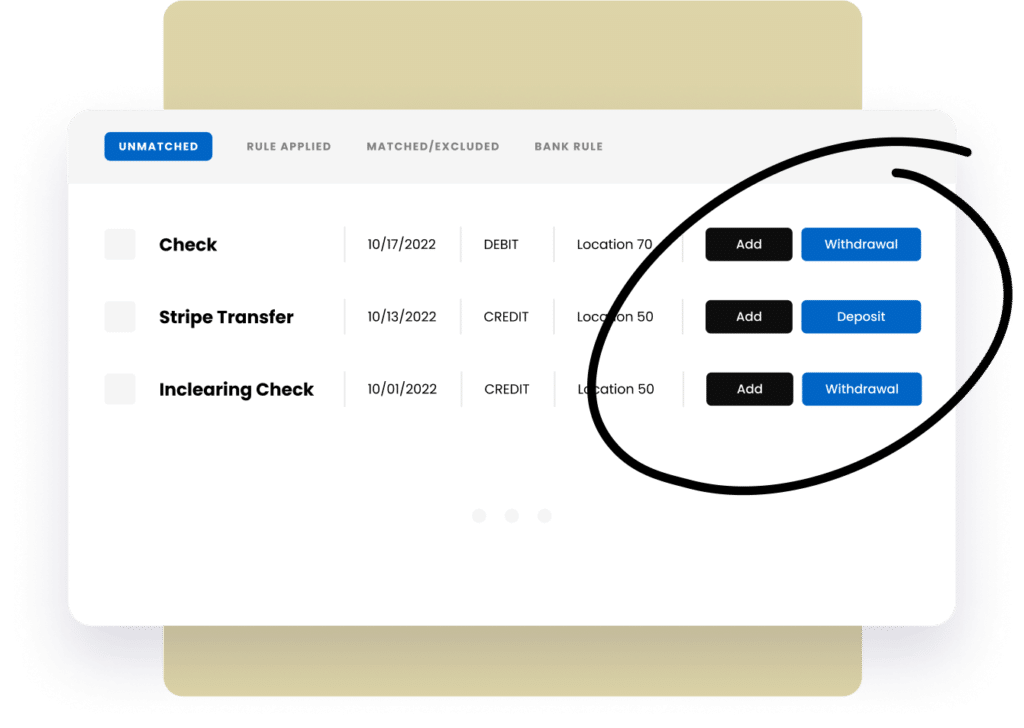
Restaurant365 offers a range of plans and packages that vary in price based on certain offerings. Learn more about pricing here or compare our plans to see what works best for your business.
Sage Intacct is a cloud-based financial management solution ideal for mid-sized businesses seeking a comprehensive approach to accounting. It is known for its depth of features and scalability.
Pricing for Sage Intacct starts at $15,000 per year, reflecting its positioning as a premium product for businesses that require advanced functionality.
NetSuite is an all-encompassing enterprise resource planning (ERP) solution, which includes accounting capabilities among other business functions. It is suitable for companies that require a robust, unified platform.
The pricing for NetSuite starts at approximately $999 per month, with additional user fees. Costs can escalate based on the level of customization and modules required.
QuickBooks is one of the most popular accounting software options, catering to small and medium-sized businesses. It provides an easy-to-use interface and a variety of plans to suit different needs.
QuickBooks pricing starts at $25 per month for the basic plan, with more advanced plans costing up to $180 per month.
Lightspeed is primarily a POS system that includes integrated accounting features, making it a suitable choice for retail and hospitality businesses.
Pricing begins at $69 per month for the basic package, with advanced accounting features available at higher subscription levels.
Xero is a cloud-based accounting software that caters primarily to small businesses and startups, offering a range of tools for managing financial operations.
The pricing starts at $13 per month for the basic plan, with premium plans costing up to $70 per month.
FreshBooks is designed with small businesses and freelancers in mind, offering simple yet effective accounting tools.
The Lite plan starts at $17 per month, with additional features available in higher-tier plans that go up to $55 per month.
For restaurant owners, Restaurant365 emerges as the top choice due to its industry-specific features. Its integration with POS systems, recipe costing, and inventory management tools make it a comprehensive solution for managing a restaurant’s financial and operational needs.

For small businesses, QuickBooks stands out. Its affordability, user-friendly interface, and ability to grow with the business make it an ideal option for startups and smaller companies. The software’s variety of integrations further enhance its appeal. However, for small restaurant businesses we recommend Restaurant365 accounting software.

NetSuite is the best choice for enterprises requiring a robust solution that covers not only accounting but also other business functions like inventory, CRM, and project management. Its scalability and customizable features make it suitable for large organizations with complex financial requirements. On the other hand, for large restaurant groups Restaurant365 accounting is still the clear choice.

Wave is one of the few reputable free accounting software options, offering a range of features at no cost. While it may lack some of the advanced functionalities of paid software, it is a viable choice for freelancers or very small businesses. Additional cheap accounting options include the lite version of Freshbooks and the basic version of Xero, which both come with limitations.
Restaurant365 is the best accounting software for restaurants because it is the only platform in this comparison purpose-built for food service operations. It includes native POS integration, recipe costing, period-based reporting, and multi-location P&L consolidation without requiring manual workarounds or third-party integrations for basic restaurant functions.
Restaurant accounting requires period-based reporting, recipe-level food cost tracking, daily POS reconciliation, and food cost variance analysis that general accounting platforms were not designed to handle. It also involves more complex payroll requirements including tip calculations, multi-rate pay, and tip credit rules that vary by state.
QuickBooks works reasonably well for single-unit operators in the early stages. As the operation grows to multiple locations, the lack of native POS integration, recipe costing, and consolidated reporting becomes increasingly costly in terms of manual work and limited visibility. Most multi-unit restaurant groups reach a point where QuickBooks no longer meets their needs.
The most important features are POS integration, recipe-level food costing, actual versus theoretical food cost tracking, AP automation, period-based reporting, and multi-location P&L consolidation. The goal is a platform where data flows automatically between systems rather than requiring manual compilation every time a report is needed.
Restaurant365 is purpose-built for restaurant operations while QuickBooks and Sage are general business accounting platforms. For a detailed comparison of features, pricing, and limitations across all three, read Sage Accounting Software vs. QuickBooks vs. R365.
Wave is the most commonly recommended free accounting software and works well for freelancers and very small businesses. Basic plans from Xero (starting at $13/month) and FreshBooks (starting at $17/month) are also affordable entry points. None of these platforms are designed for restaurant-specific workflows.
Pricing varies significantly by platform and operation size. QuickBooks starts at $25 per month. Sage Intacct starts at approximately $15,000 per year. Restaurant365 is priced by module and location. View Restaurant365 pricing or compare plans to see how the all-in-one approach compares to your current stack of separate tools.
Not all platforms handle multi-location consolidation equally. QuickBooks and most general accounting platforms require significant manual work to consolidate P&L reporting across multiple locations. Restaurant365 consolidates financial reporting across every location in one pull, giving above-store leaders a real-time view of performance across the entire portfolio without logging into each system separately.
Choosing the right accounting software involves evaluating the unique requirements of your business and considering factors such as budget, scalability, and ease of use. Whether you are a freelancer, a small business owner, or a large enterprise, there is a solution tailored to fit your needs. From the robust capabilities of NetSuite to the industry-specific tools offered by Restaurant365, the options are plentiful, ensuring that every business can find a solution to manage financial operations and drive growth.
For restaurant operators specifically, the right platform is the one built around how restaurants actually work. Restaurant365 connects accounting, inventory, workforce management, and payroll in one system so your financial data is always accurate, always current, and always connected to the operational decisions that move your margins.
See why more than 50,000 restaurants use Restaurant365. Get a free demo today.
Share this blog:

Restaurant365 brings together accounting, operations, scheduling, and more in a flexible platform—empowering restaurants to choose the solutions they need and scale with confidence.