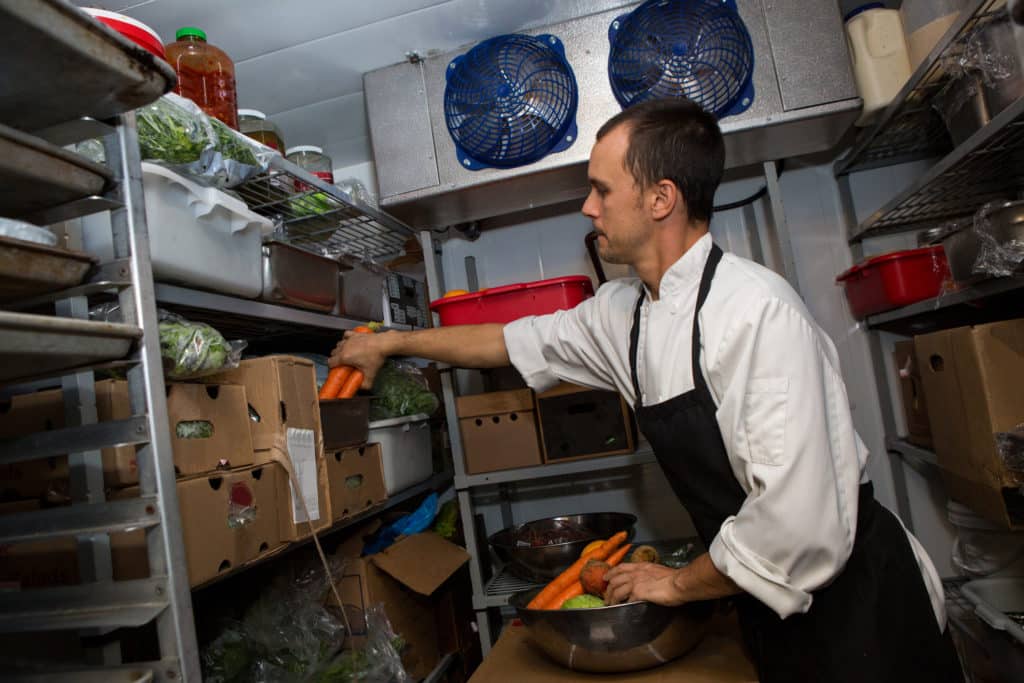
As of October 2026, most restaurants lose money not because their food is bad, but because their purchasing runs on guesswork. When ordering, receiving, and inventory tracking live in separate systems (or worse, on paper and spreadsheets), overordering and waste become invisible until the P&L arrives.
The fix is to connect those processes in a single system so every purchase order, delivery receipt, and inventory count feeds the same data set.
End-to-end procurement in a restaurant spans six connected stages: planning and par levels, purchase order creation, vendor management, delivery receiving, invoice reconciliation, and AP posting to the general ledger.
A gap at any stage creates cost problems that compound before they surface. Restaurant365 links those stages so data flows through a shared data model. This article walks through each stage, the guidelines that matter most, and the technology that ties it all together.
Purchasing is the process of deciding what to buy, how much to buy, and from whom. Receiving is verifying that what showed up matches what you ordered, in quantity, quality, and price. Together, they form the front door of your inventory: everything that enters your restaurant passes through these two steps, and mistakes here ripple through food costs for weeks.
The full procurement cycle moves through six stages:
Setting par levels based on sales forecasts and current stock
Creating purchase orders (manually or from system-generated suggestions)
Managing vendor relationships, contracts, and pricing
Receiving deliveries and checking them against POs
Reconciling vendor invoices to what was actually received
Posting approved invoices to the general ledger for payment
Modern restaurant procurement platforms see more than 95% of invoices processed automatically, speeding vendor payments and month-end close. But automation only works when the data flowing into it is accurate, which starts with disciplined receiving.
“Purchasing has been probably the biggest and quickest win for us, for sure,” said Michael Leemann, Controller at Villa Restaurant Group, which rolled out R365 across 85 locations and 28 concepts in one year.
Receiving is where most restaurants either protect their margins or silently give them away. The guidelines below apply whether you follow ServSafe standards or your own internal protocols, and they are worth printing and posting at every back door.
Temperature and quality checks at the dock:
Check protein temperatures immediately. Refrigerated items should arrive cold with no sign of temperature abuse; frozen items should be solid with no signs of thawing.
Inspect produce for freshness, bruising, mold, and pest damage.
Reject any item with broken packaging, off odors, or signs of contamination.
Verify expiration and pack dates on every case.
Quantity and documentation checks:
Count or weigh every delivery against the purchase order line by line.
Note any shortages, substitutions, or damaged items on the delivery receipt before the driver leaves.
Match the invoice price per unit to the price on your PO. Flag discrepancies immediately.
David Selby of Bourbon and Bones caught a receiving discrepancy using R365: “You charged us $6,000 more product than you actually delivered. You gave me a $12,000 bill and we got $6,000 worth of product.” Without a system matching POs to deliveries, that $6,000 would have been paid without question.
Rejection protocol:
Refuse any item that fails temperature, quality, or quantity checks.
Document the rejection on the delivery receipt and notify your vendor rep the same day.
Log the rejection in your restaurant management system so purchasing can adjust future orders.
Skipping them costs far more.
The full cycle from need to shelf has distinct steps, and each one depends on the accuracy of the one before it.
Assess current inventory. Before placing any order, know what you have. Count key items or pull real-time counts from your inventory management software. Black Rock Coffee Bar moved from monthly to weekly inventory counts specifically to close the gap between actual and theoretical usage.
Calculate order quantities. Compare on-hand inventory to par levels and expected demand. Systems like Restaurant365 generate order suggestions based on actual sales data, recipes, and current stock, removing the guesswork.
Create and send purchase orders. Group items by vendor. Restaurant365’s purchase order module includes shopping lists that auto-generate vendor-grouped POs, so you are not toggling between spreadsheets and email.
Receive deliveries. Follow the receiving guidelines above. In Restaurant365, every received item updates inventory counts in real time.
Reconcile invoices. Match the vendor invoice to both the PO and the receiving record (three-way matching). This catches overcharges, missed credits, and pricing errors before you pay.
Store properly. FIFO (first in, first out) is non-negotiable. Label everything with the received date. Store raw proteins below ready-to-eat items. Monitor cooler and freezer temperatures daily.
Track usage against recipes. Compare what you actually used to what your recipes say you should have used (theoretical vs. actual). The variance report tells you where waste, theft, or portioning errors are hiding.
“We decided to go with a weekly cadence to really give us the true information that we needed so that we could be proactive, week over week, instead of again waiting till the end of the month to figure out what was missing or where we overspent,” said Heather Kluzak, Vice President of Learning & Operations Services at Black Rock Coffee Bar.
Food procurement is the complete process of sourcing, purchasing, receiving, and paying for the ingredients and supplies a restaurant needs to operate. It goes beyond placing orders. Procurement includes selecting vendors, negotiating contracts, setting par levels, managing delivery schedules, and reconciling invoices.
Done well, procurement is a financial discipline. Done poorly, it is a slow leak.
Villa Restaurant Group brought contract and rebate management in-house using R365, replacing a third-party service. They now run contract violation reports directly in the system to make sure every location is buying at the negotiated price. “We’ve done it to understand our purchasing and really control and make sure that we’re following the purchasing that we should at every store,” Leemann said.
Procurement also includes spec compliance: making sure the chicken breast you receive is the portion you ordered, not one that throws off your recipe cost. Felipe’s Mexican Taqueria used R365’s recipe management to standardize recipes and purchasing visibility, driving CoGS from 28% down to 23%, beating their own target of 26%.
Restaurants typically source from a mix of channels, each with trade-offs.
Channel | Pros | Cons |
|---|---|---|
Broadline distributors (Sysco, US Foods, etc.) | Wide selection, consistent delivery schedules, volume pricing | Less flexibility on specialty items, prices can vary by location |
Specialty distributors | Higher quality for specific categories (seafood, produce, bakery) | Smaller delivery windows, higher minimums |
Local farms and producers | Fresher product, menu differentiation, community ties | Seasonal availability, inconsistent supply, limited scale |
Cash-and-carry / wholesale clubs | Immediate availability, no delivery minimums | No delivery, limited selection, time cost of shopping trips |
Direct manufacturer / co-op purchasing | Best pricing on high-volume staples | Requires significant volume commitments |
Most multi-unit operators rely on one or two broadline distributors for the bulk of their purchasing, supplemented by specialty vendors for proteins, produce, or proprietary ingredients. Pepper Lunch, for example, mandates that franchisees use R365’s PO module to order proprietary ingredients like pepper paste and sauces so the brand has real-time consumption visibility rather than waiting 45 days for royalty reports.
The vendor mix matters less than the system tracking it. David Selby of Bourbon and Bones discovered that two locations in the same state were paying $53 per pound and $72 per pound for the same item. Without a system comparing vendor pricing across locations, that 36% price gap would have gone unnoticed.
Food cost is a math problem, and purchasing and receiving are where the numbers enter the equation. Every error at these stages, whether it is an unverified price increase, an uncounted shortage, or an accepted substitution, flows directly into your cost of goods sold.
Kona Grill recouped its Restaurant365 investment in three months. One location achieved a 4.2% reduction in COGS. Across all locations, the company averaged a 1.5% COGS reduction per store, resulting in a profit increase of $15,833 per location. Better purchasing oversight also let managers identify vendor overcharges and recover credits.
“With Restaurant365, we have complete visibility of theoretical quantities of inventory on-hand and inventory used. Through the use of Hot Counts and Inventory Count Variance Reports we now have excellent control of our inventory,” said Michelle Caraig, Accountant at Kona Grill.
Most restaurants would benefit more from fixing their receiving process than from renegotiating vendor contracts. Contract negotiations get all the attention, but the daily discipline of checking deliveries against POs catches the errors that actually compound into real money. A vendor charging even a small amount more per pound, multiplied across weekly deliveries, adds up fast, and it only gets caught if someone at the back door is checking.
David Selby cut a six-month produce purchase comparison task from an estimated two weeks down to under three hours using R365. That kind of time savings turns purchasing analysis from a quarterly project into a weekly habit.
Spreadsheets can track inventory. They cannot connect it to purchasing, recipes, sales, and accounting in real time. That connection is what separates a restaurant management system from a collection of workarounds.
Restaurant365 is the only platform to natively combine restaurant-specific accounting, inventory, scheduling, payroll, and business intelligence in a single system with a shared data model. For purchasing and inventory specifically, the R365 platform includes:
Inventory counting (mobile-friendly) with theoretical vs. actual variance reporting
Recipe and menu item costing tied to live ingredient pricing
Purchase orders with system-generated order suggestions based on actual demand
Receiving workflows that match deliveries to POs
Vendor invoice matching (three-way match: PO, receiving record, invoice)
Commissary and production management
R365 Intelligence dashboards for purchasing and receiving analysis
Sales forecasting to drive prep and ordering decisions
As of mid-2026, R365 AI adds another layer: AI-driven purchase orders based on actual demand, food cost variance detection across locations in real time, precision prep recommendations to reduce waste, and recipe cost tracking against live ingredient pricing. Key outcomes from R365 AI include an average 5% reduction in food costs, up to $100K in annual labor savings, and a 15% improvement in forecasting error reduction.
Overordering is quiet, and it does not announce itself. It shows up as product expiring on shelves, walk-in coolers packed too tight to organize, and food cost percentages that creep up month after month until someone finally notices.
Count more often than you think you need to. Sweet Cow moved off multiple manual inventory systems to weekly counts and burn-rate monitoring in R365. The result: reduced money sitting on shelves, less waste, and fewer product shortages. “With Restaurant365, the way it lays out tracking inventory lets us know what’s coming in and that we’re not getting overcharged. Our store managers analyze their inventories easily and get a lot of business intelligence from that.”
Use order suggestions instead of gut feel. Restaurant365 generates purchase order suggestions based on par levels, current inventory, and sales forecasts. Ordering from data removes the tendency to “round up” that leads to overordering.
Run theoretical vs. actual reports weekly. A gap between what your recipes say you should have used and what your inventory shows you actually used points to waste, theft, or portioning error. The variance report is where you find it.
Match every invoice before paying it. Three-way matching (PO to receiving record to invoice) catches overcharges before they become payments. Villa Restaurant Group replaced a third-party contract management service with R365’s built-in contract violation reporting, bringing full visibility in-house.
Standardize recipes and portions. Felipe’s Mexican Taqueria decreased discrepancies in portioning and inventory usage by building every recipe in R365, giving managers the data to know exactly what each location should be purchasing.
Exactly 36% separates the per-pound price David Selby found two of his locations paying for the same protein. That is the kind of gap that only surfaces when purchasing data is connected and comparable.
Blog Menu
Connecting purchasing and inventory is a financial discipline that happens to require technology. The restaurants seeing real results (Felipe’s dropping CoGS by 5 percentage points, Kona Grill adding $15,833 in profit per location, Bourbon and Bones catching a $6,000 delivery discrepancy) all share one thing: a single system where purchase orders, receiving records, inventory counts, recipes, and invoices talk to each other.
Restaurant365 connects those processes natively. No exports, no re-keying, no waiting until month-end to find out what went wrong.
Schedule a free demo of Restaurant365 and see how your purchasing and inventory data can work together to cut waste and protect your margins.
Last updated: October 2026.
Share this blog:
See why more than 60,000 restaurants use Restaurant365
Restaurant365 brings together accounting, operations, scheduling, and more in a flexible platform—empowering restaurants to choose the solutions they need and scale with confidence.